Moving a folder takes everything inside it along too — its documents and any folders nested within it.
Steps
-
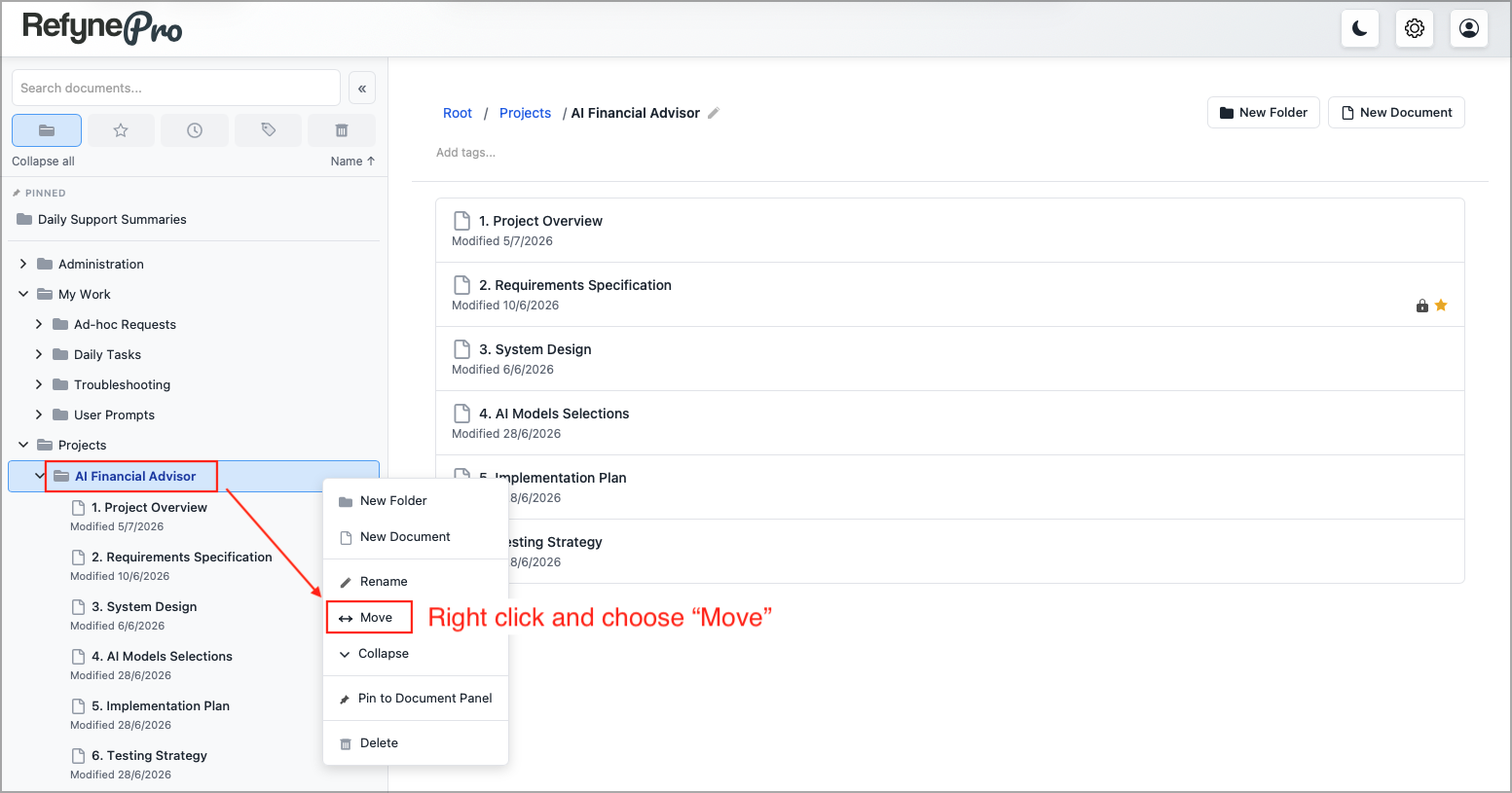
Right-click the folder in the Document Tree and choose Move.
-
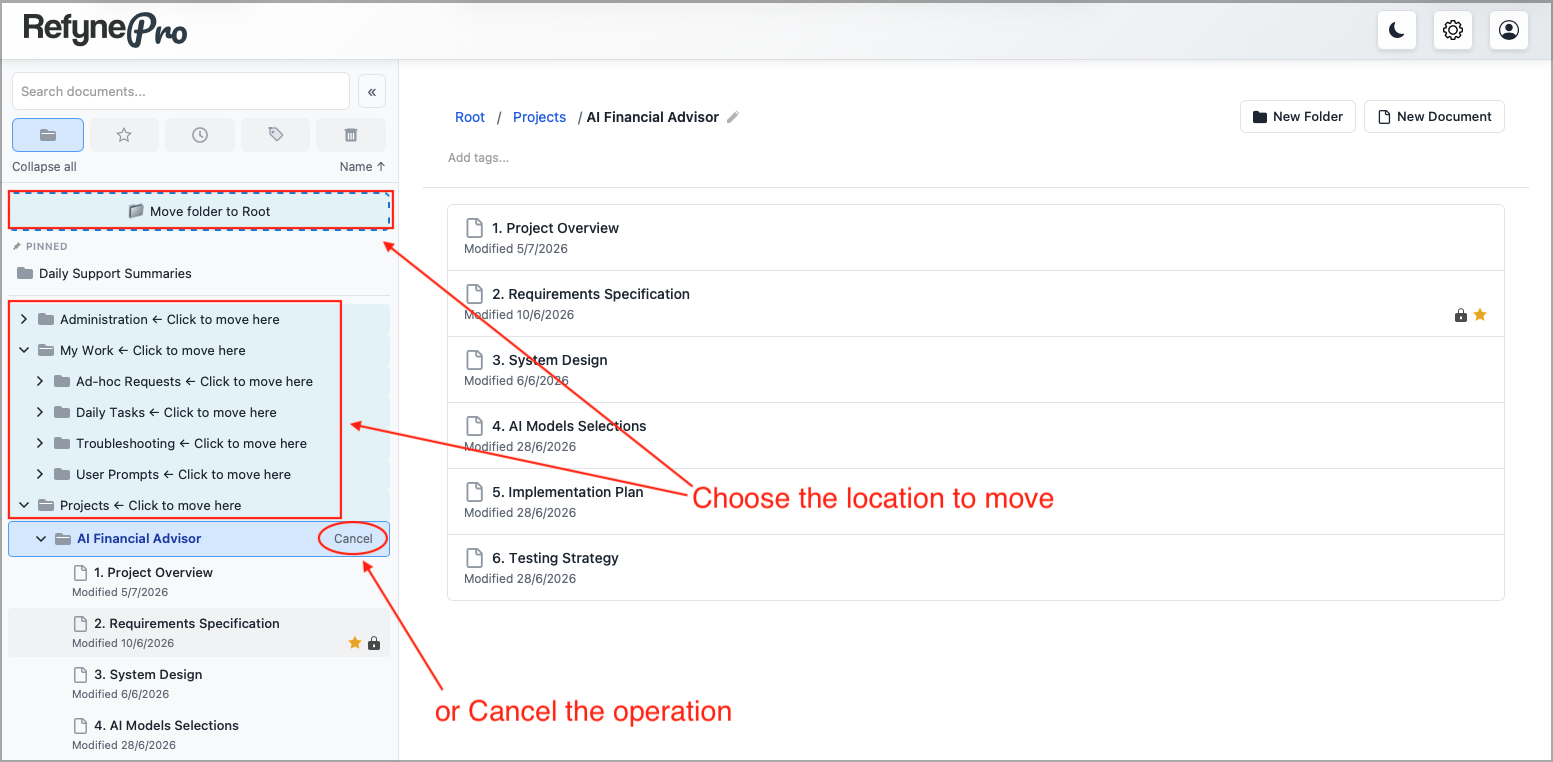
Every valid destination now shows ← Click to move here. Click the folder you want.
-
To move it out to the top level instead, click the Move folder to Root banner at the top of the Document Panel.
A message confirms the move and offers Undo.
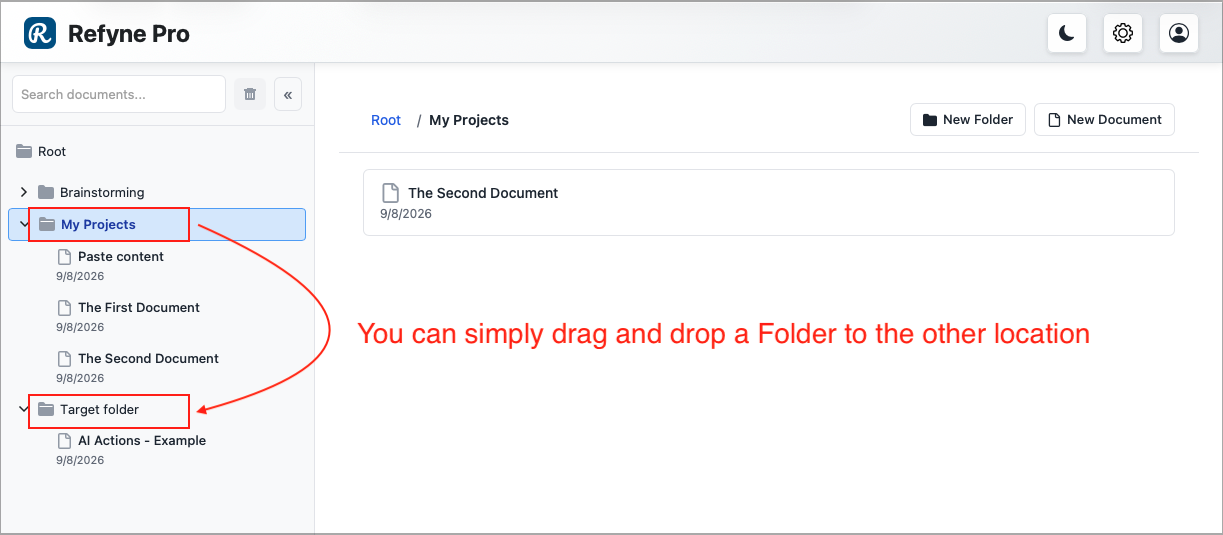
Other ways to do this: drag the folder onto another folder in the Document Tree and drop it.
Tip: A folder cannot be moved into itself or into one of its own subfolders, so those destinations will not offer ← Click to move here.