Pinning lifts a folder out of the tree and puts it at the very top of the Document Panel, so you can reach it without expanding anything.
Steps
-
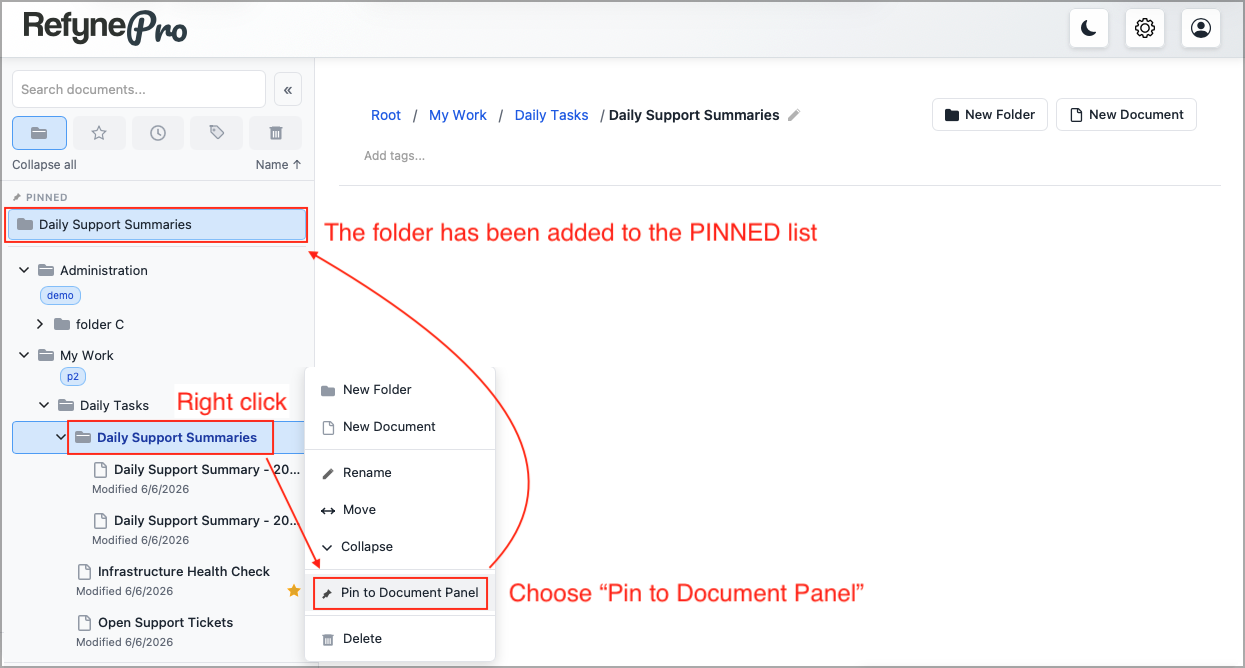
Right-click the folder in the Document Tree.
-
Choose Pin to Document Panel.
-
The folder now appears under a Pinned heading at the top. Click it any time to jump straight there.
To remove one, right-click the folder again and choose Unpin from Document Panel.
Tip: Pins are remembered by this browser on this computer, not by your account. If you sign in somewhere else, you will need to pin your folders again there.
Only folders can be pinned. For quick access to a single document, use favourites instead.