This walks you through the whole flow once, from an empty workspace to a saved document. It takes about a minute.
Steps
-
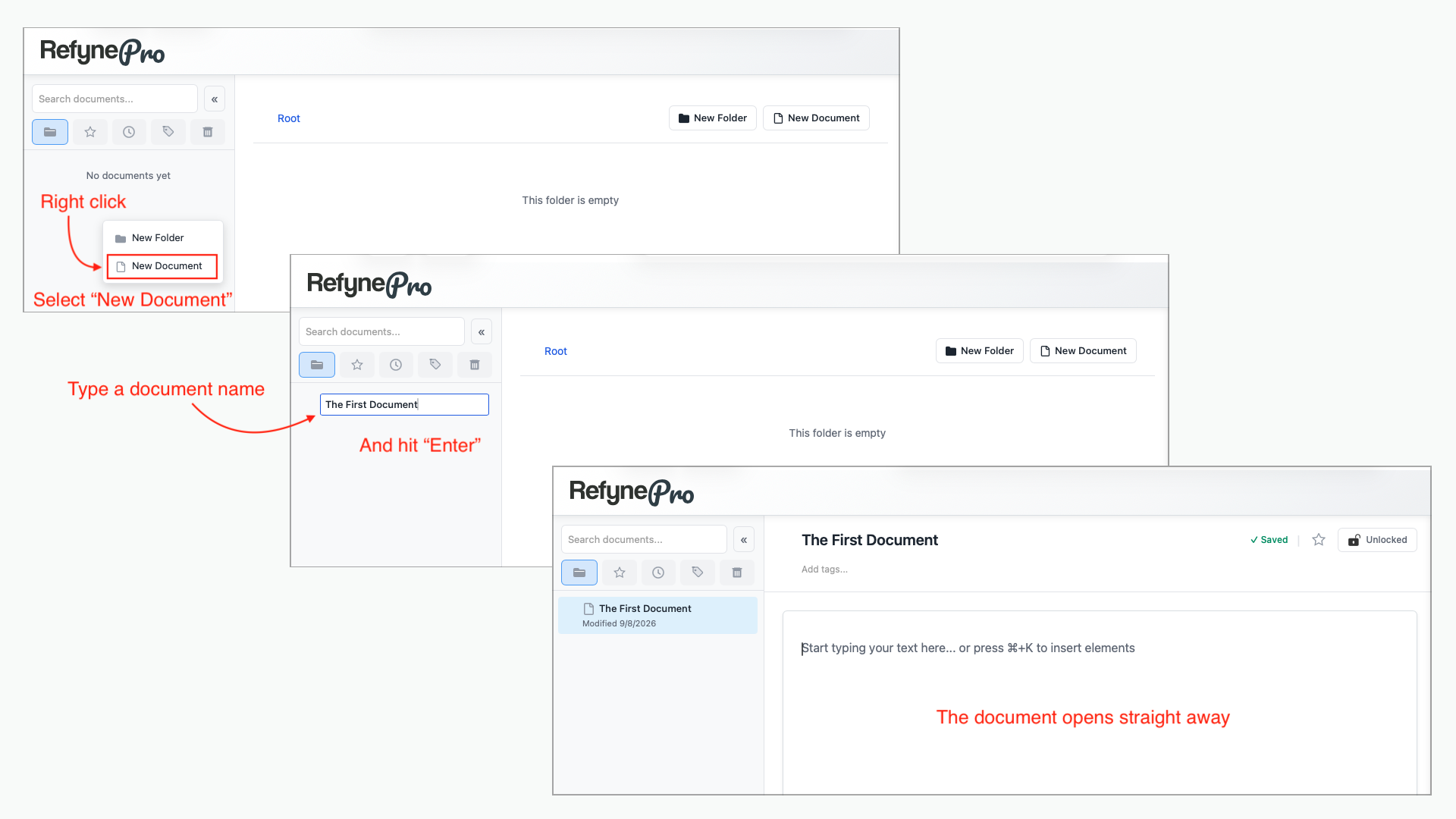
Right-click an empty area of the Document Tree and choose New Document.
-
Type a name for it and press Enter. Your document opens straight away.
-
Click anywhere in the Editor and start typing.
-
Stop typing and watch the top of the page. After a few seconds the status changes to ✓ Saved.
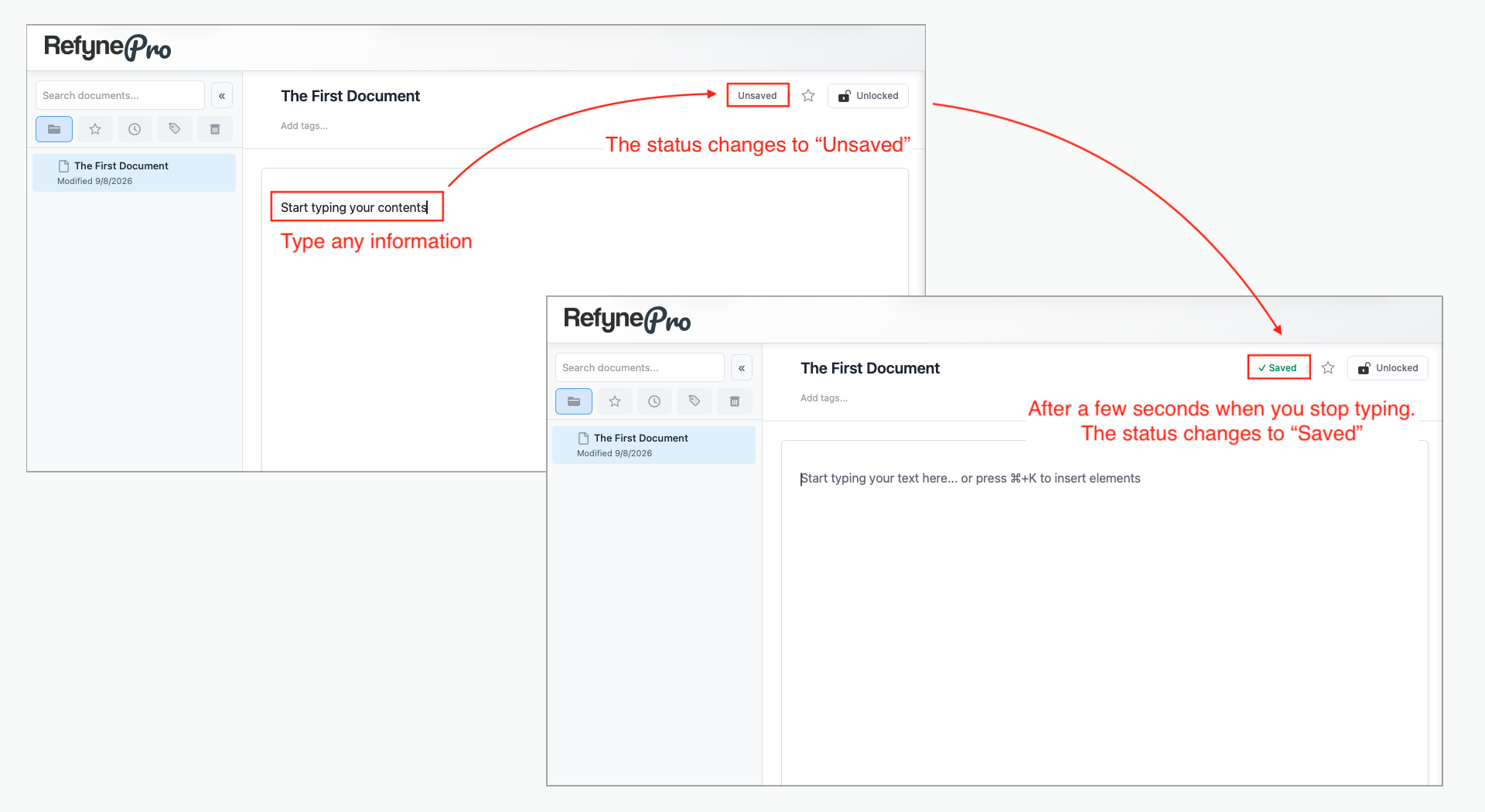
That is the whole cycle. There is no save button in RefynePro, and you never need one.
Tip: Try selecting a sentence you just wrote. A small toolbar appears, and the AI Tools button on it will rewrite the sentence for you.