There is no save button and no Cmd+S. RefynePro saves your document about five seconds after you stop typing.
Steps
-
Write as normal.
-
Look at the status next to the document title to see where things stand:
Status Meaning Unsaved You have made changes that are not stored yet. Saving… The save is in progress. ✓ Saved Everything is stored. 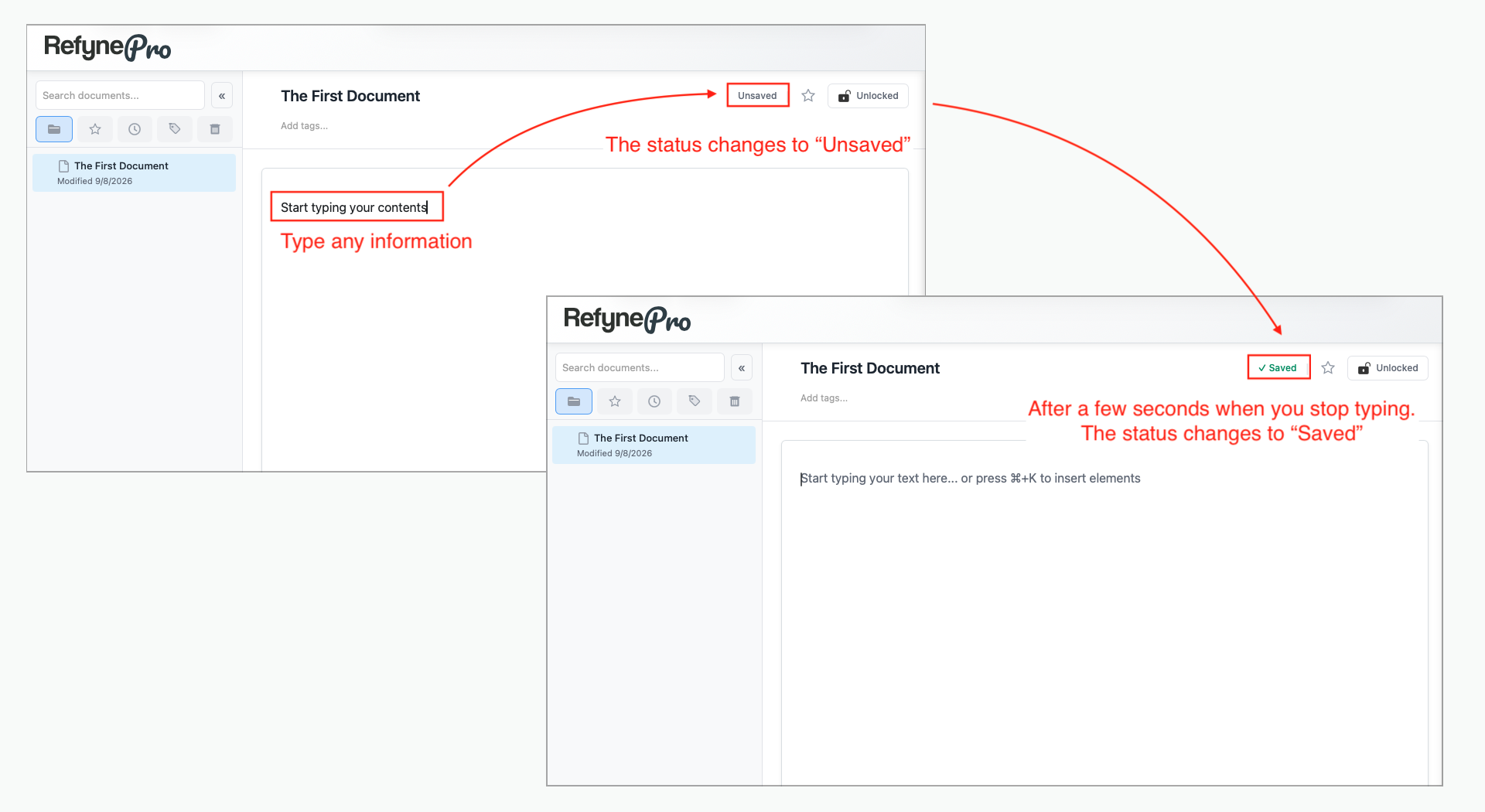
-
Before closing the tab, check that it reads ✓ Saved.
Switching documents before saving
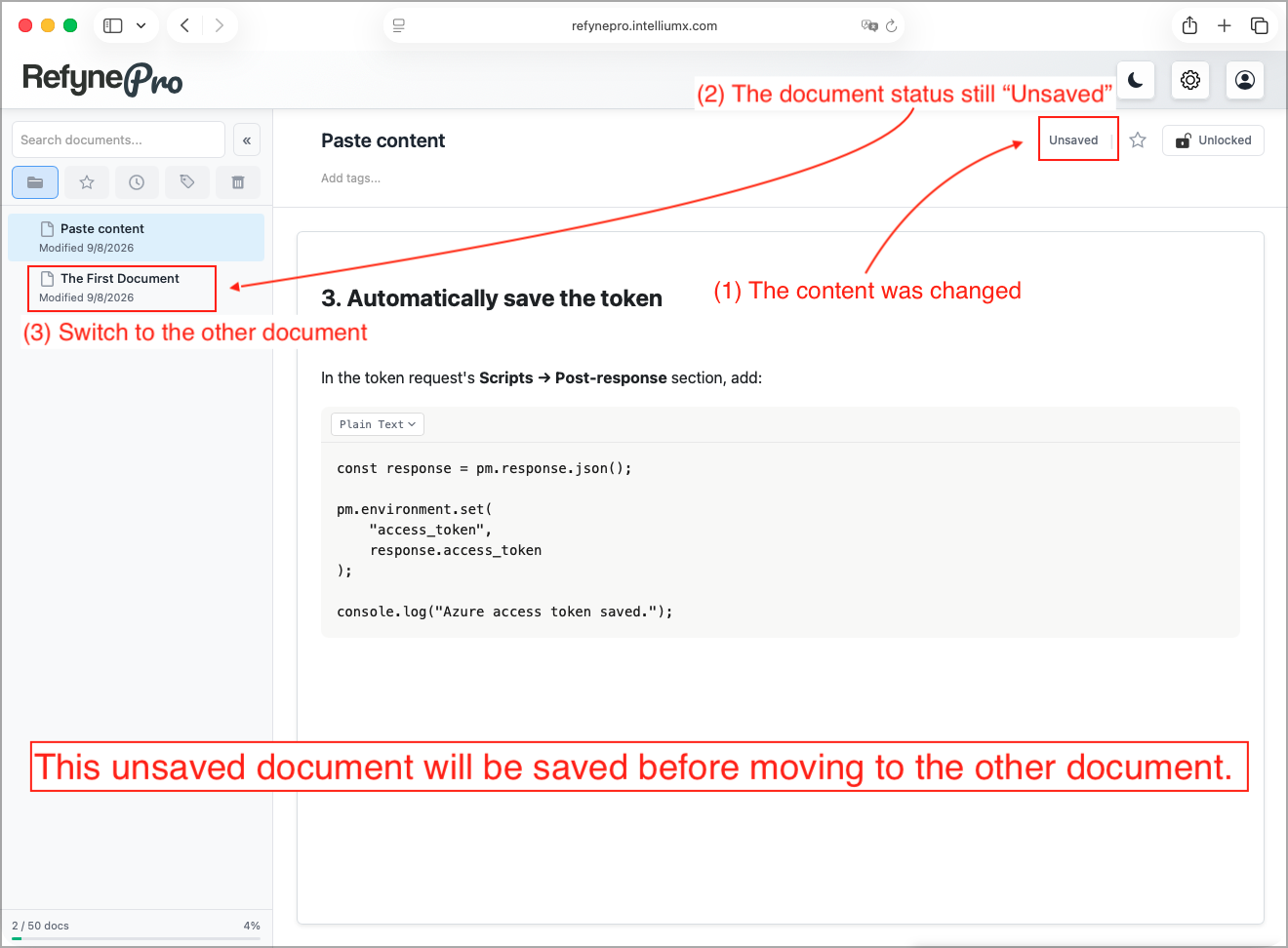
Switching to another document inside RefynePro is always safe — your current document is saved first.
If you close the browser too early
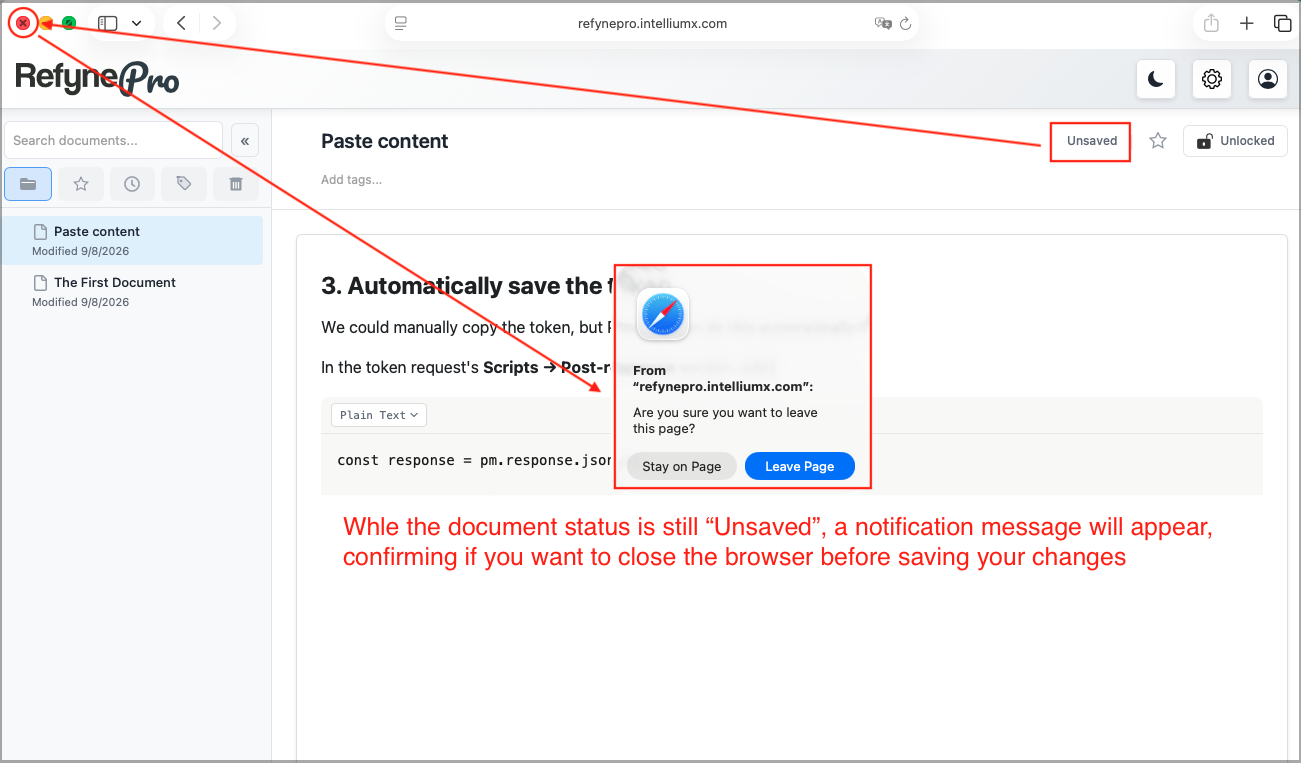
If you close the tab or window while changes are still unsaved, your browser will warn you and ask whether you really want to leave. The exact wording comes from your browser, not from RefynePro. Choose to stay, wait for ✓ Saved, then close.
Tip: A document must be under 100 KB of text. If you go over, a message tells you the size and the save is refused. Split very long documents in two.