Click anywhere in the Editor and type. Beyond plain typing, there are three quick ways to get content in.
Steps
-
Type shortcuts as you write. At the start of a line, type one of these followed by a space, and the line changes format instantly:
Type this You get #A heading (up to ######for the smallest)-A bullet list 1.A numbered list >A quote ```A code block ---A divider line -
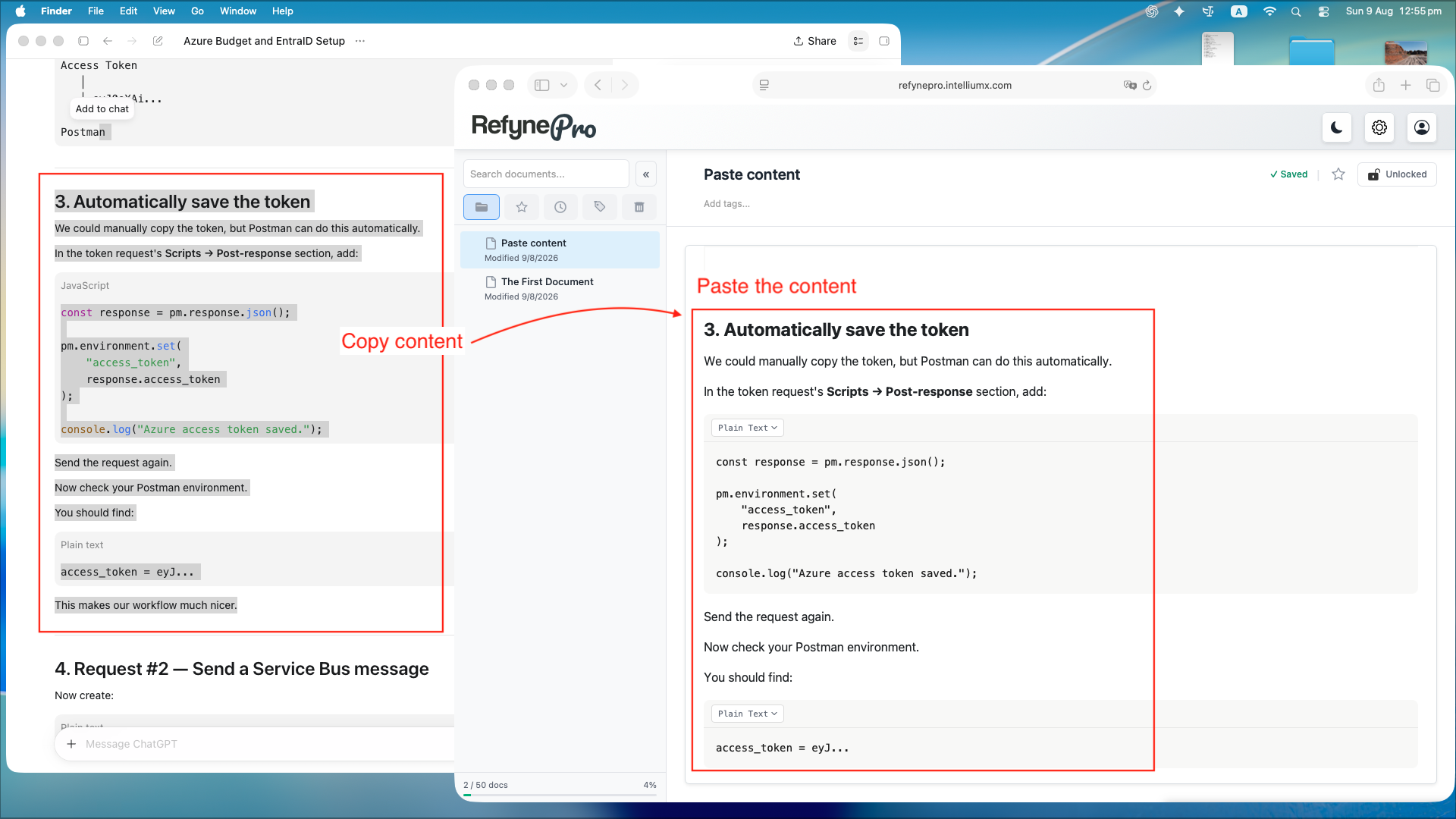
Paste text. Anything copied from another app keeps its formatting. If you paste text written in Markdown, RefynePro converts it into real headings, lists and tables for you.
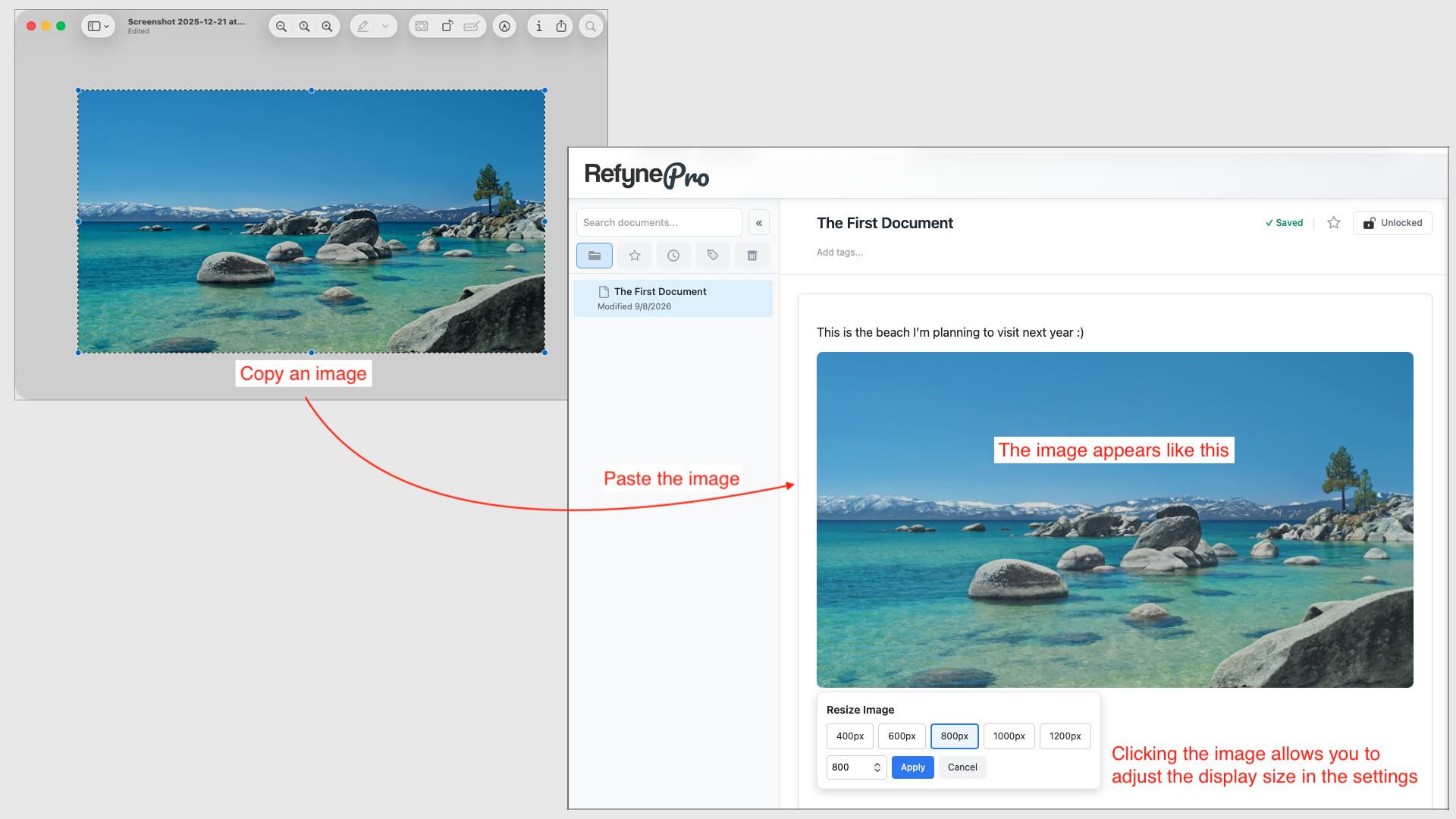
- Paste an image. Copy an image anywhere on your computer and paste it into the Editor. It uploads automatically.
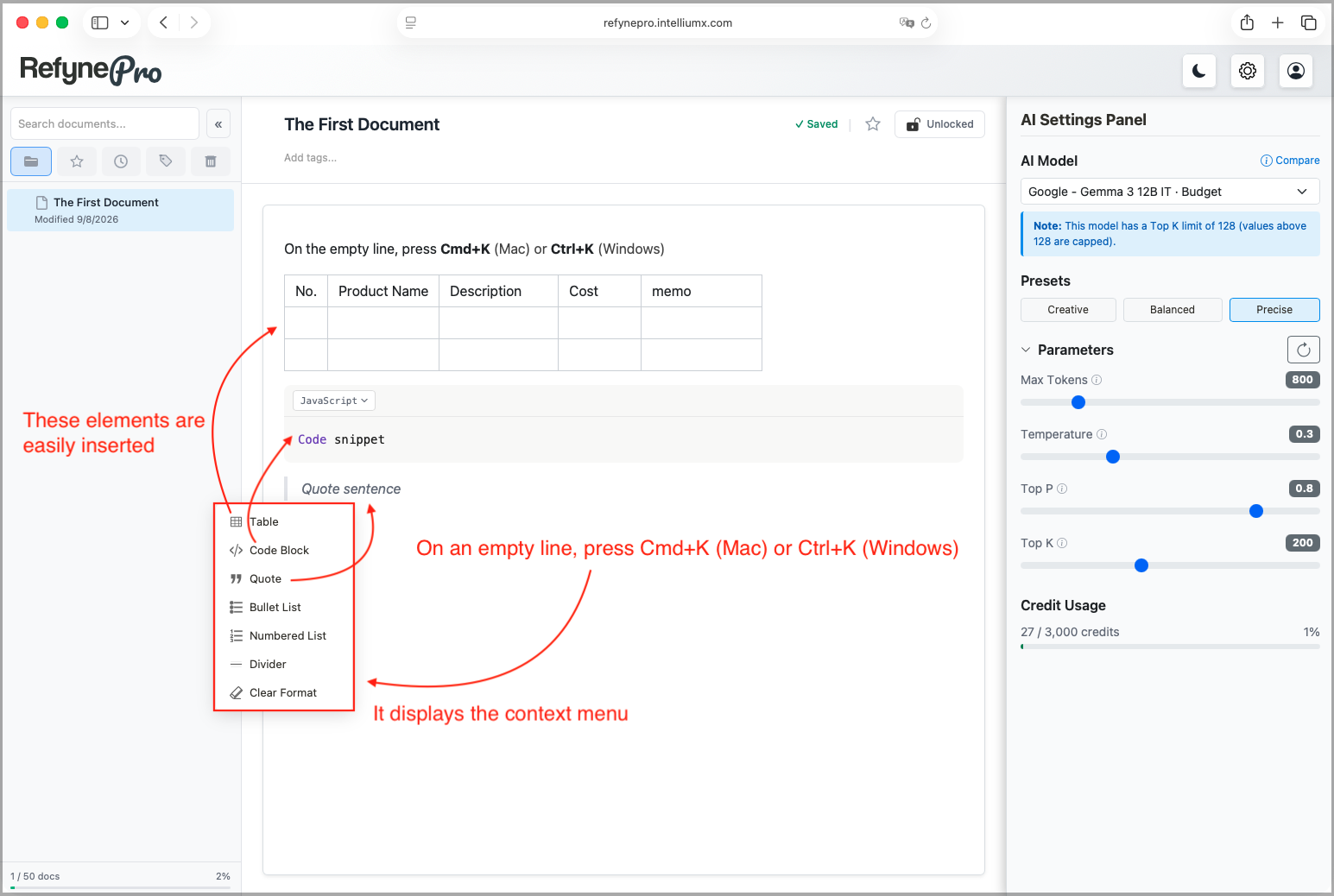
Other ways to do this: on an empty line, press Cmd+K (Mac) or Ctrl+K (Windows) to insert a table, code block, quote, list or divider from a menu.
Tip: Nothing here needs saving. RefynePro saves a few seconds after you stop typing.