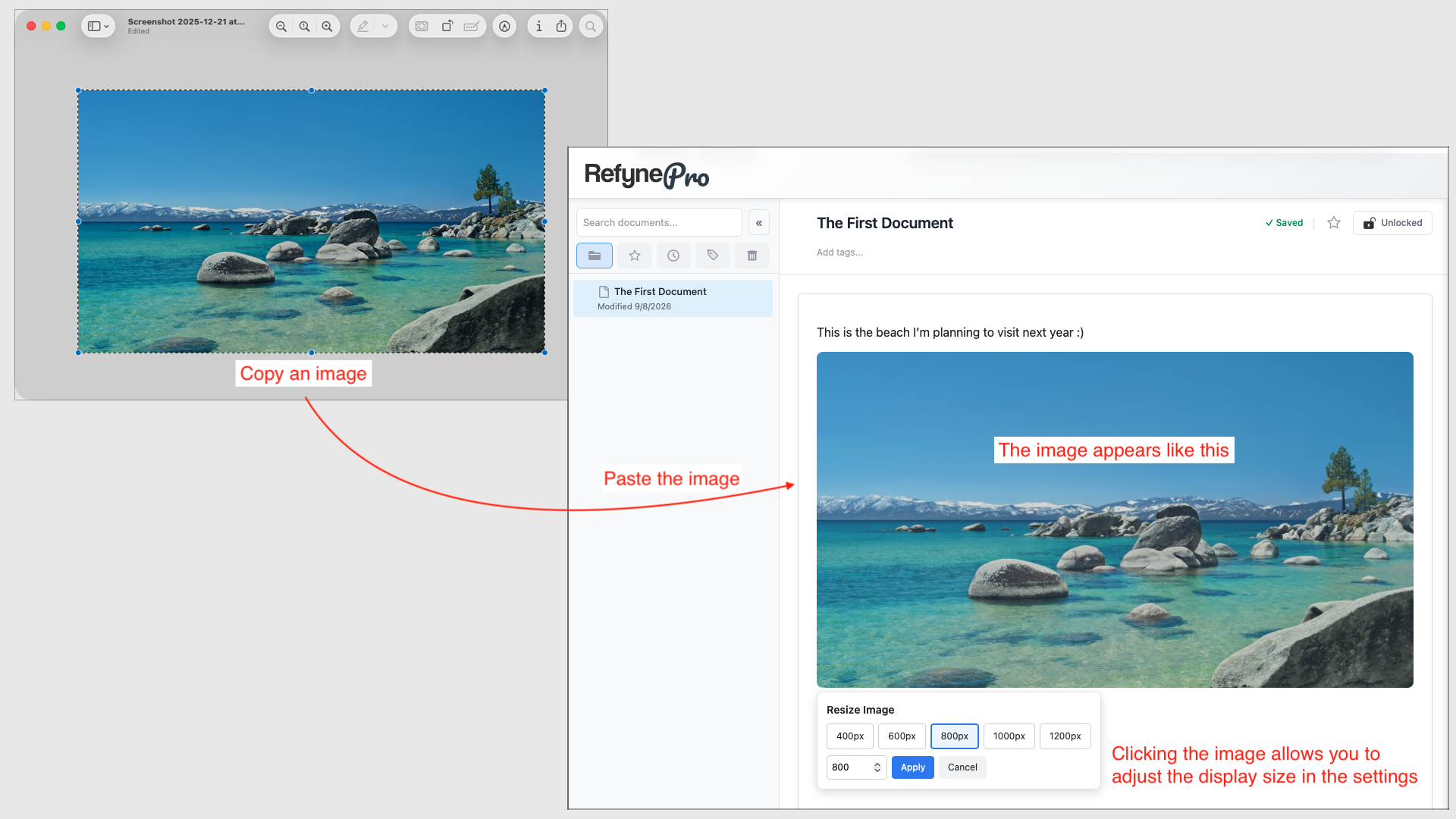
Images go into a document by pasting. Once pasted, they are uploaded and stored with your document automatically.
Steps
-
Copy an image — from a screenshot, a web page, or a file on your computer.
-
Click where you want it in your document and paste with Cmd+V (Mac) or Ctrl+V (Windows).
-
Click the image once to resize it. Pick one of the preset widths or enter your own, then click Apply.
Double-click any image to view it full screen. Press Esc to come back.
What you can paste
JPEG, PNG, WebP and GIF files up to 4 MB. Larger images are compressed automatically before upload, and very large ones may still be refused with a message asking you to reduce the size first.
Tip: Dragging an image file into the page does not work — it has to be pasted. Open the file, copy it, then paste.