A new document opens as soon as you name it, ready to type in.
Steps
-
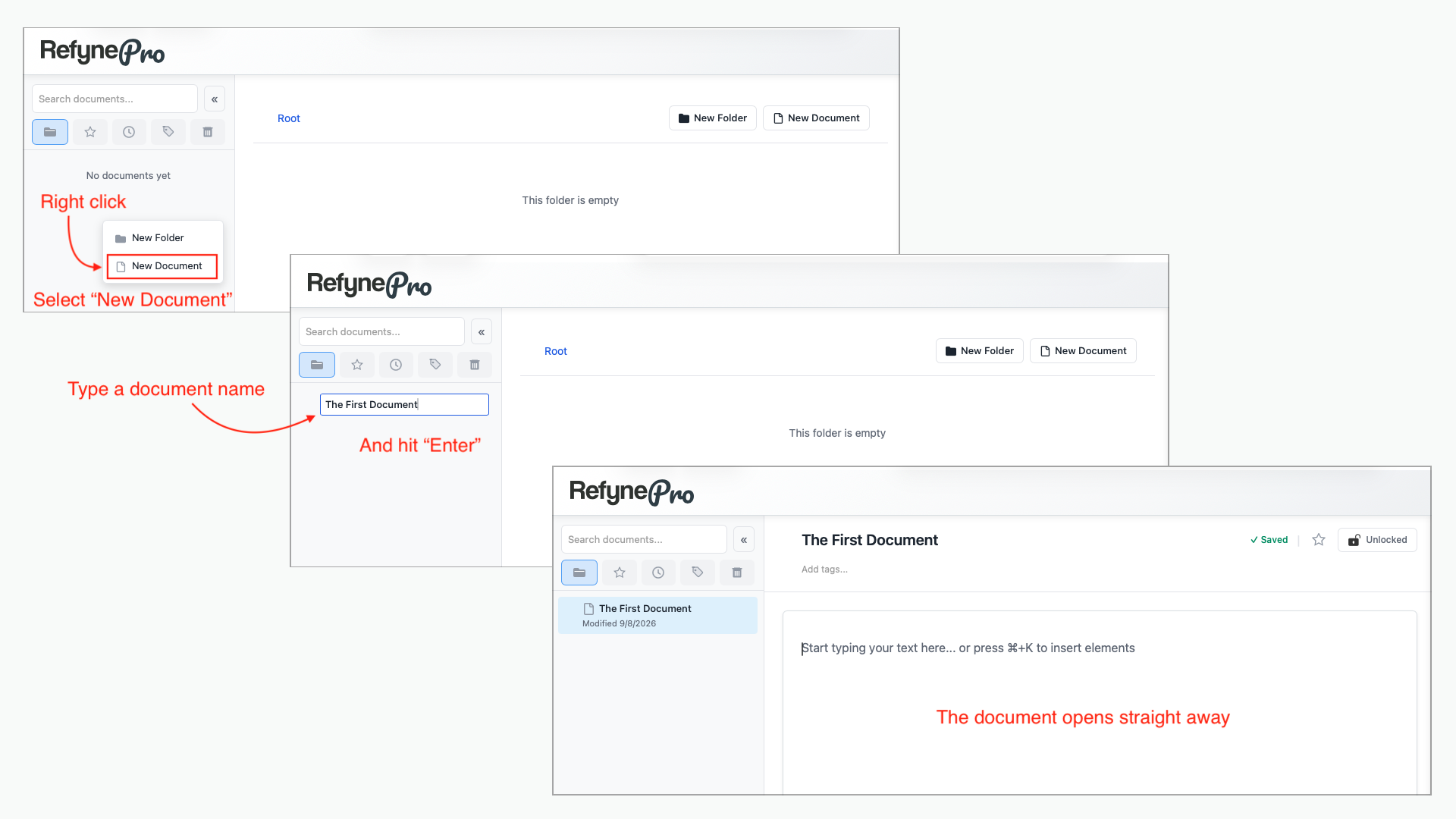
In the Document Tree, right-click the folder you want the document to live in. To create it outside any folder, right-click an empty area instead.
-
Choose New Document.
-
Type a name and press Enter.
The document opens in the Editor and a Document created message confirms it.
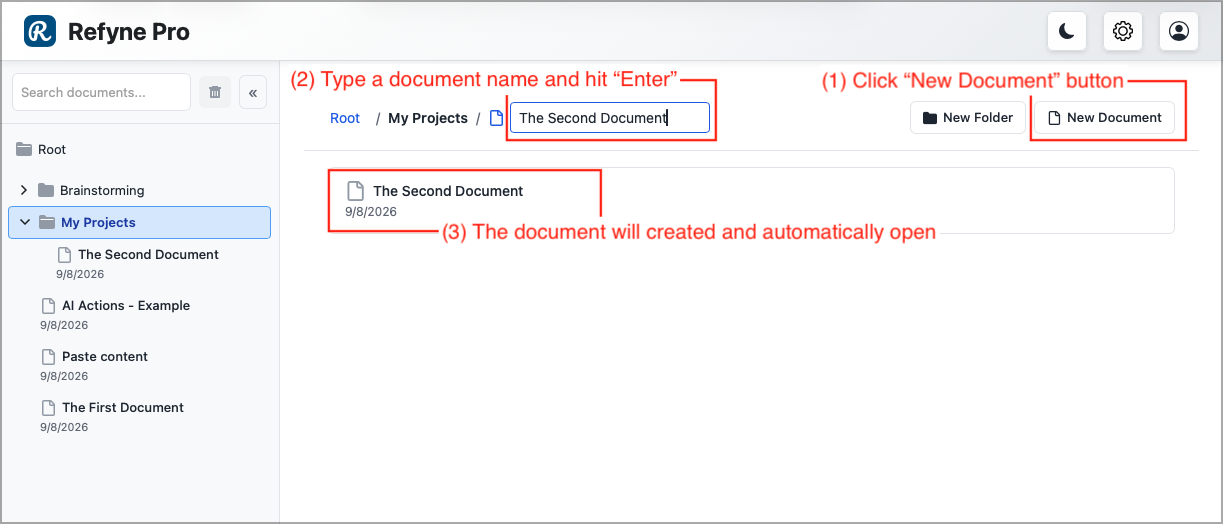
Other ways to do this: open a folder in the Workspace and click New Document in the toolbar above the list. The document is created inside that folder.
Tip: If you see Document limit reached, you are on the Free plan and have hit its 50-document limit. Permanently delete documents from the trash to free up room, or upgrade.