Deleted documents and folders go to the trash and stay there for 7 days. After that they are removed permanently and cannot be recovered.
Steps
-
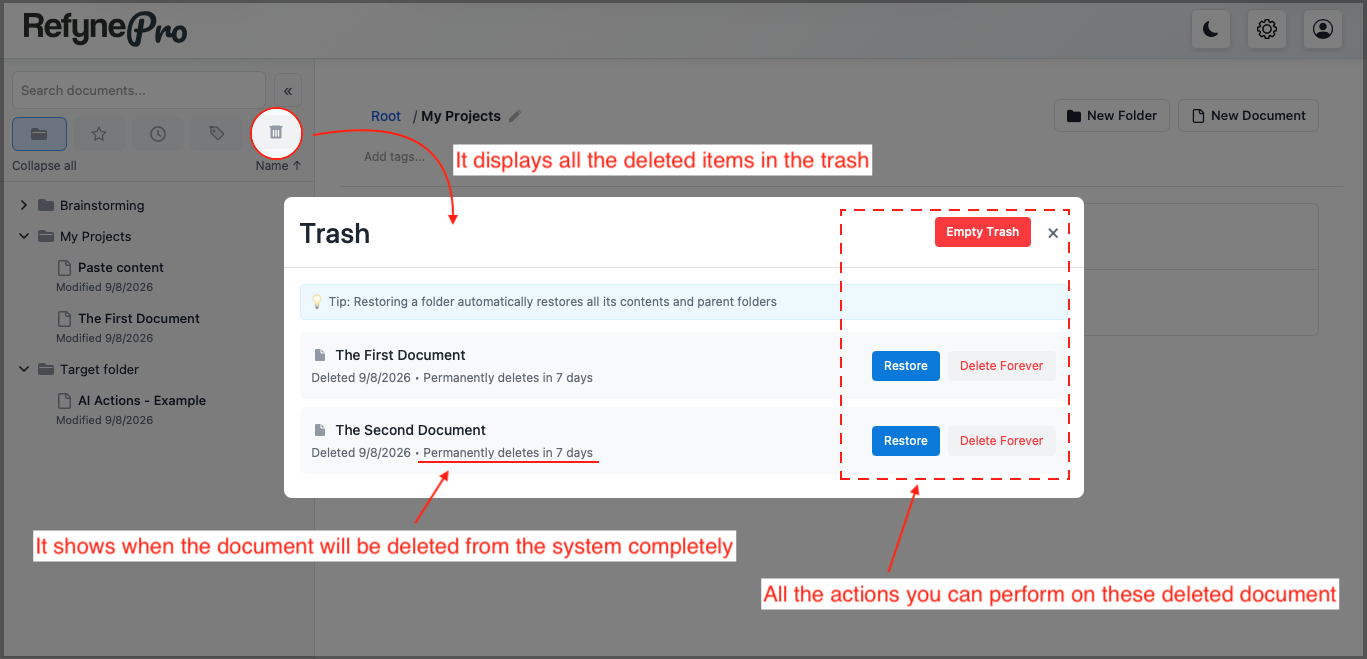
Click Trash in the Document Shortcuts.
-
Find the item you want. Each row shows when you deleted it and how many days remain before it is removed permanently.
-
Click Restore to put it back where it came from.
Restoring a folder brings back everything that was inside it, and recreates any parent folders it needs along the way.
Clearing the trash
Delete Forever removes a single item immediately. Empty Trash removes everything. Both ask you to confirm, and neither can be undone.
Tip: If you are on the Free plan and have hit the document limit, items in the trash still count. Use Delete Forever to genuinely free up space.