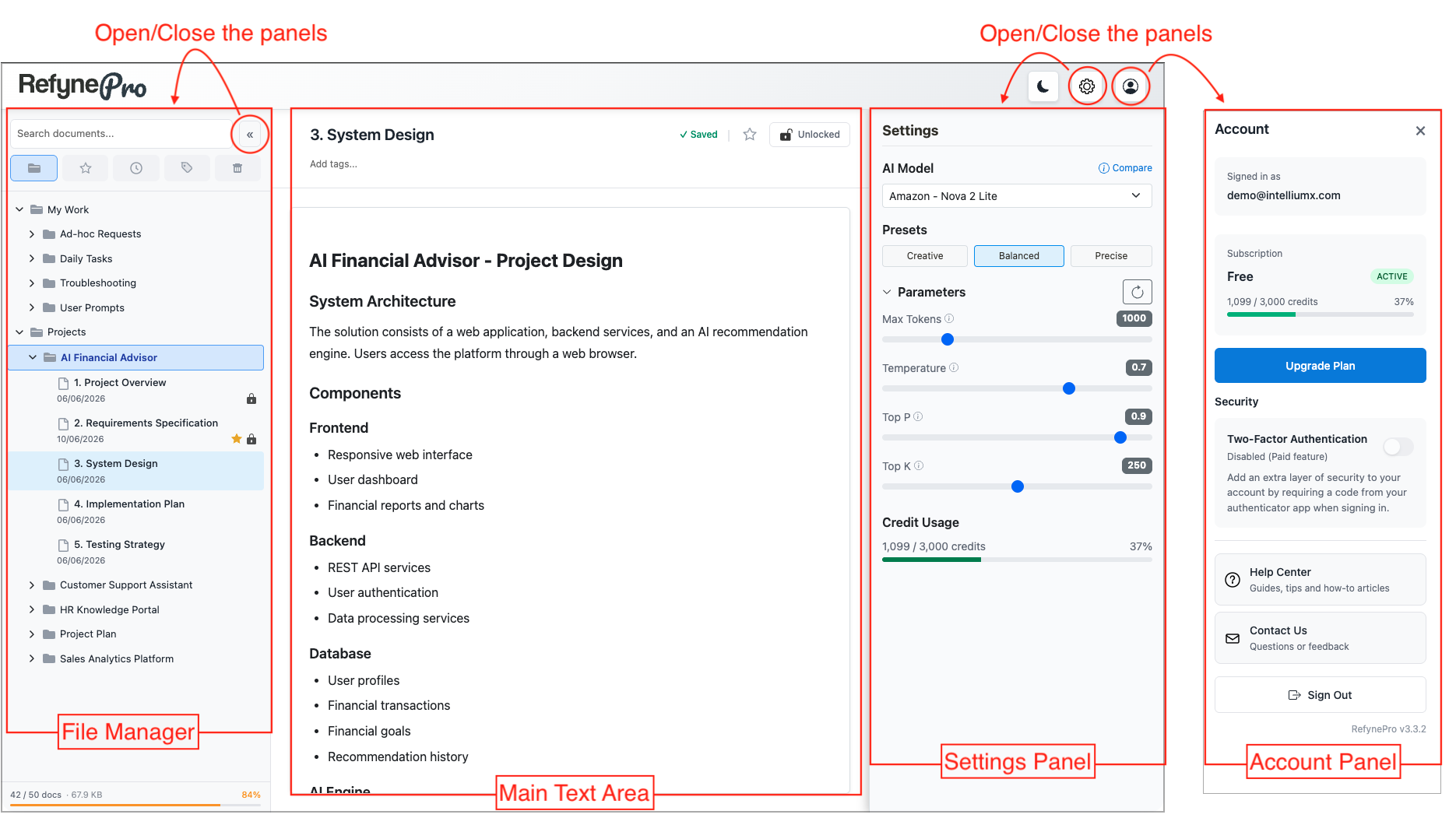
File Manager:
You can manage your documents using folder structure. There are additional functions to help you easily manage your documents as you work.
Main Area:
This is the text area where you primarily work and create valuable information.
Settings Panel:
Select an AI model and configure AI behaviours.
Account Panel:
Manage your user account. You can open and close these panels by clicking the corresponding buttons.