Deleting your account schedules it for permanent removal. You get 30 days to change your mind before anything is actually erased.
Before you start
If you have a paid plan, cancel it first using Manage Subscription. RefynePro will not delete an account with an active subscription.
Steps
-
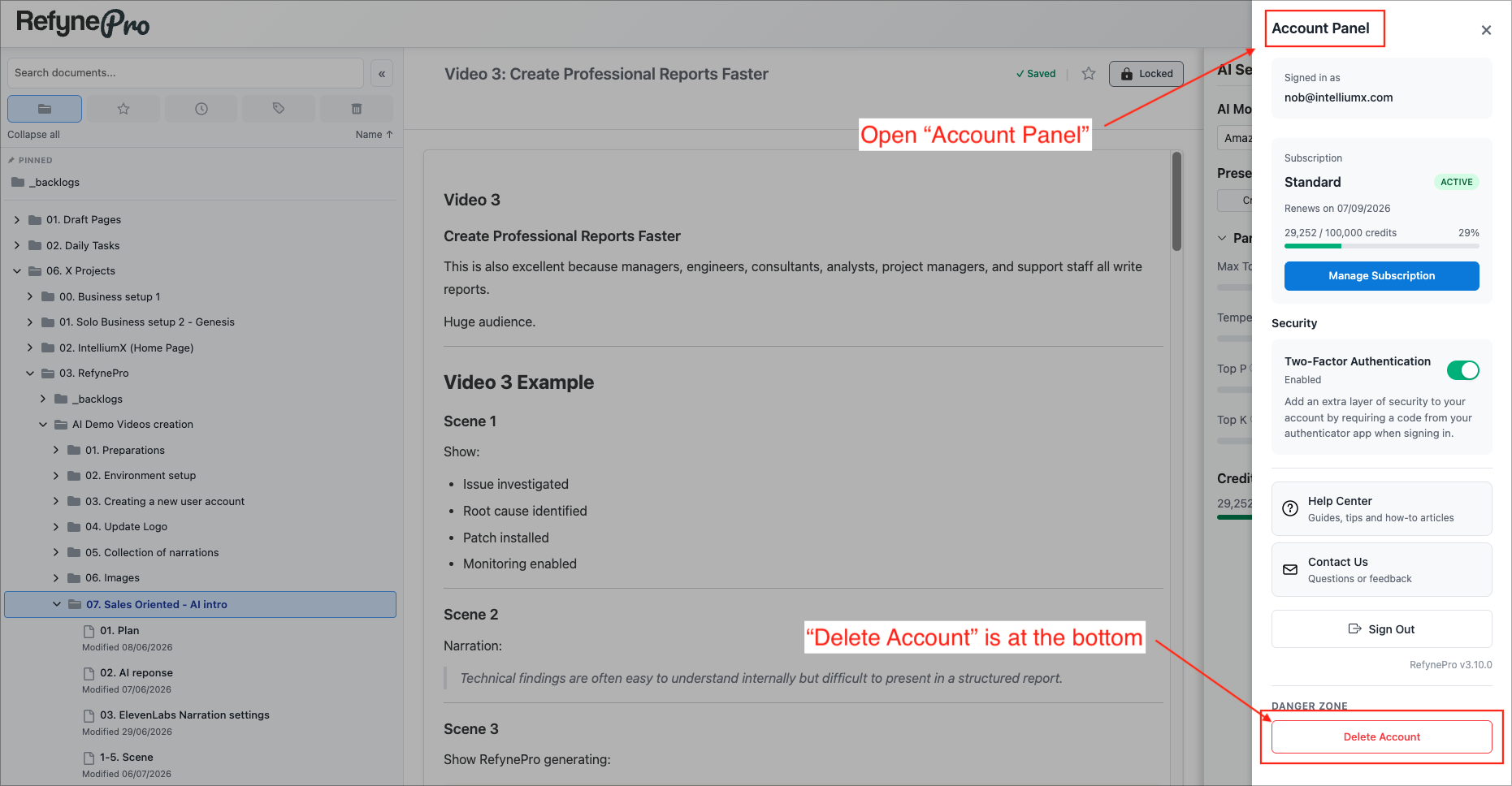
Click the person icon in the Header to open the Account Panel, then scroll to the bottom.
-
Under Danger Zone, click Delete Account.
-
Read the message, type
DELETEin the confirmation box, and click Delete Account.
Your account is now scheduled for deletion. After 30 days, your documents, folders and images are permanently erased and cannot be recovered.
Changing your mind
Sign in at any point during those 30 days. The Account Panel opens automatically with a banner telling you the deletion date. Click Restore Account and everything carries on as before.
Tip: If you want to keep a copy of your work, open each document, select all of the text, and use Copy as Markdown on the formatting toolbar before you delete anything.