How to Create a New File
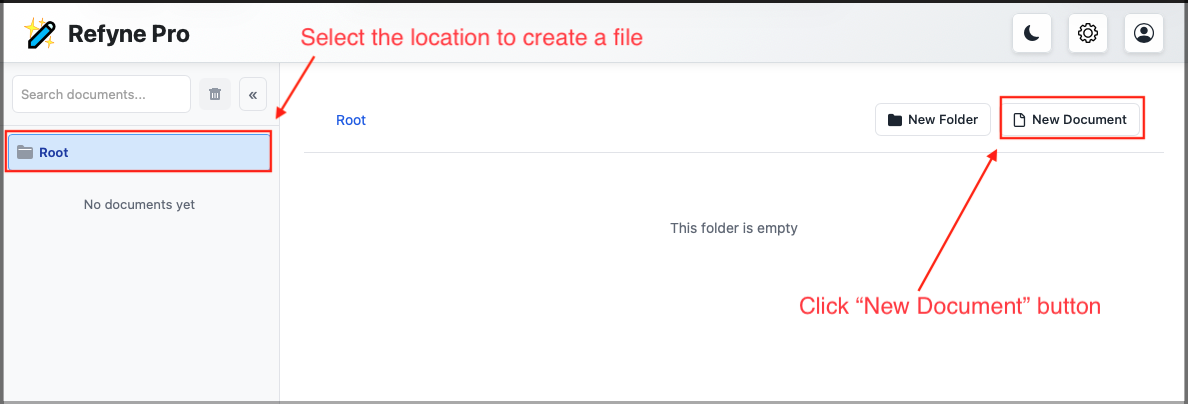
1. Navigate to the desired folder and click the New Document button.
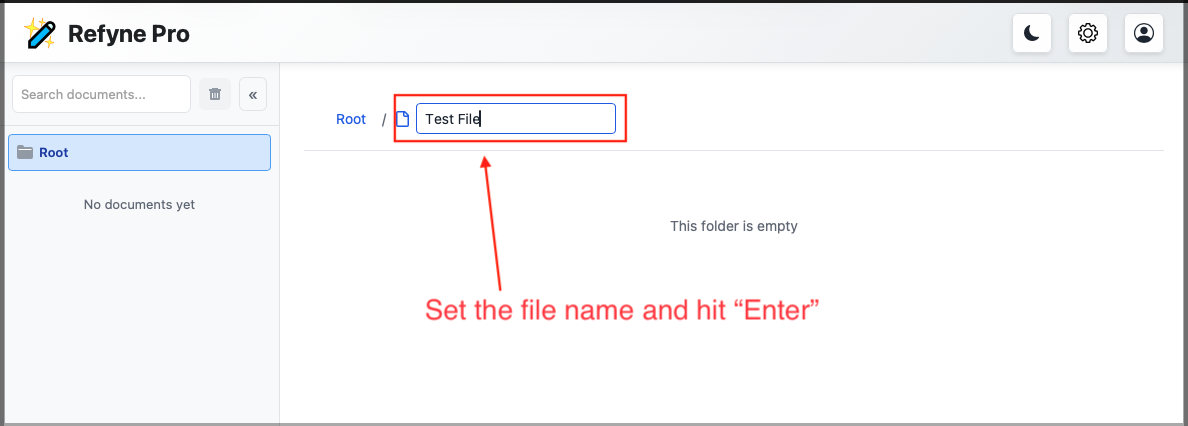
2. Enter a name for your file and press Enter.
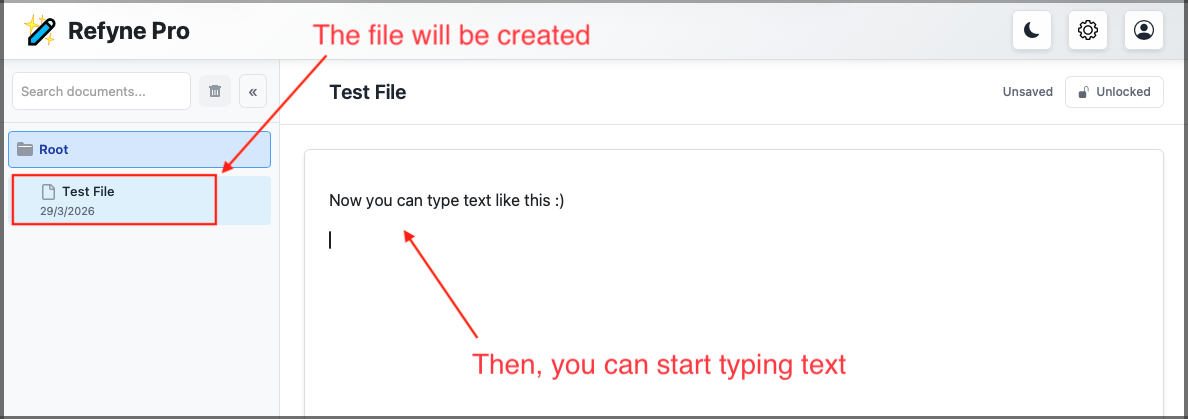
3. Once created, the file will open automatically for editing.
← Refyne Pro Help Center / Getting Started
Last updated: 29 Mar 2026